
AI practice planning for hockey coaches
Two ways to let AI do the legwork. The AI Practice Assistant builds a practice plan from your constraints, using real drills from the library. Connected Apps lets you plug Claude or another assistant into your account, so you can search drills, build and edit plans, and manage folders from a chat.
Free plan · no credit card
What you get
- AI Practice Assistant: age group, minutes, focus and goals in, a full plan out (Beta)
- AI setup in the diagrammer: describe the drill, watch the setup appear
- Connected Apps: an MCP connection for Claude and other assistants (private beta)
- Everything it builds is a normal HockeyShare plan you can edit

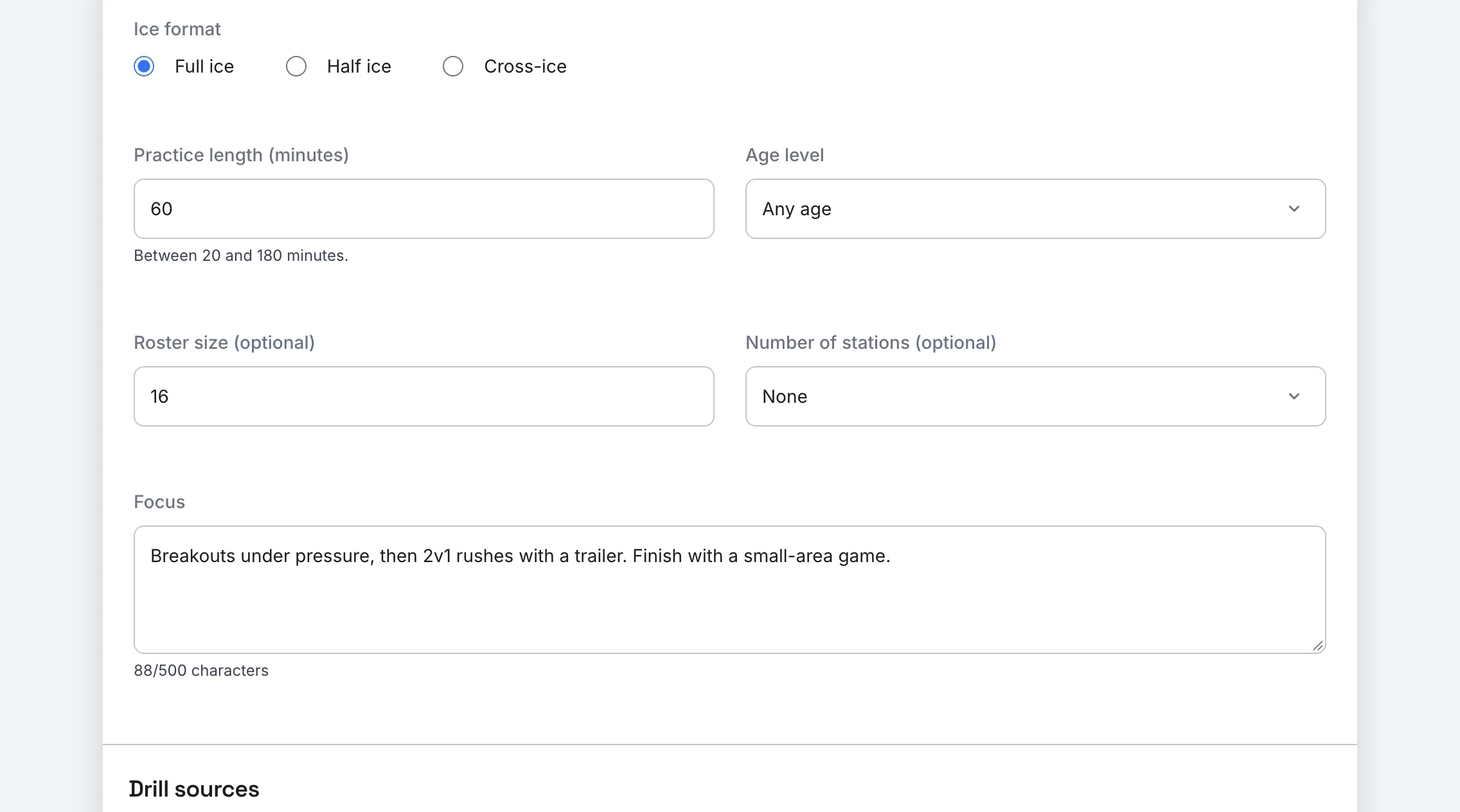
Describe the practice, get a plan
Pick full, half or cross-ice, set the length, age level and roster size, then describe the focus in plain language. The assistant assembles a timed plan from real drills in the library, which you can edit like any other plan.
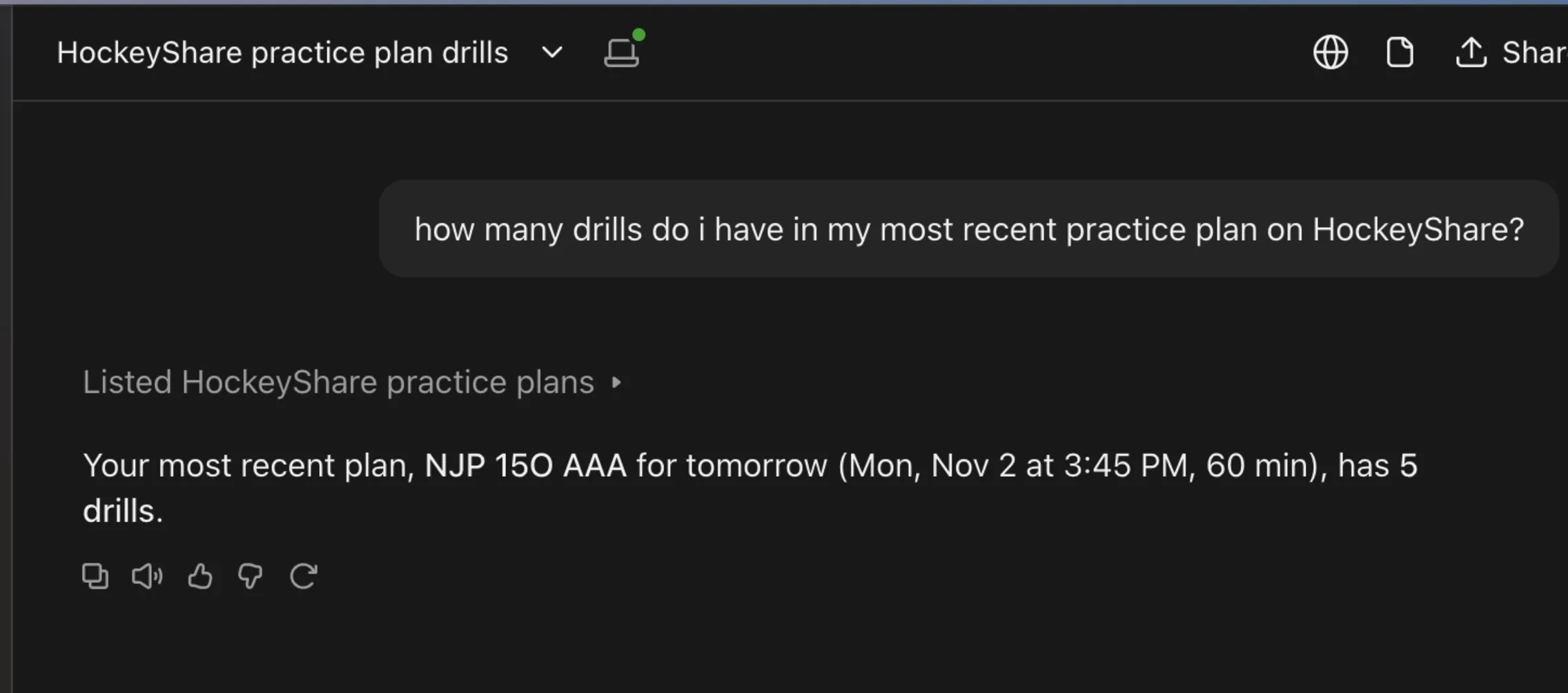
Ask Claude about your plans
Connect Claude or another MCP-capable assistant to your account and ask questions about your plans, search the drill library, or build and edit a plan from a chat. Everything stays a normal HockeyShare plan.
Free to start.
Questions coaches ask
Does the AI invent drills?
No. The AI Practice Assistant assembles plans from existing drills in the HockeyShare library and your own drills, so every item has a real diagram behind it.
Can I use Claude with HockeyShare?
Yes, in private beta. Connected Apps exposes your plans and drills to Claude and other assistants that support MCP, acting as you, with your permission.
Works with
Practice Plans
Drag drills in, time the blocks, and run practice rinkside in presentation mode.
Learn more →Drill Diagrammer
Draw drills in 2D and full 3D, animate the sequence, export video.
Learn more →Drill Library
Over a million drills with diagrams, instant search, tags, folders and share links.
Learn more →